

online winkel
Reserveringen
events
pop-up

- 20%
WhatsApp Chat Button Contact
Door
WhatsApp Button that turns visitors into chats
Nog geen beoordelingen
Gratis pakket beschikbaar



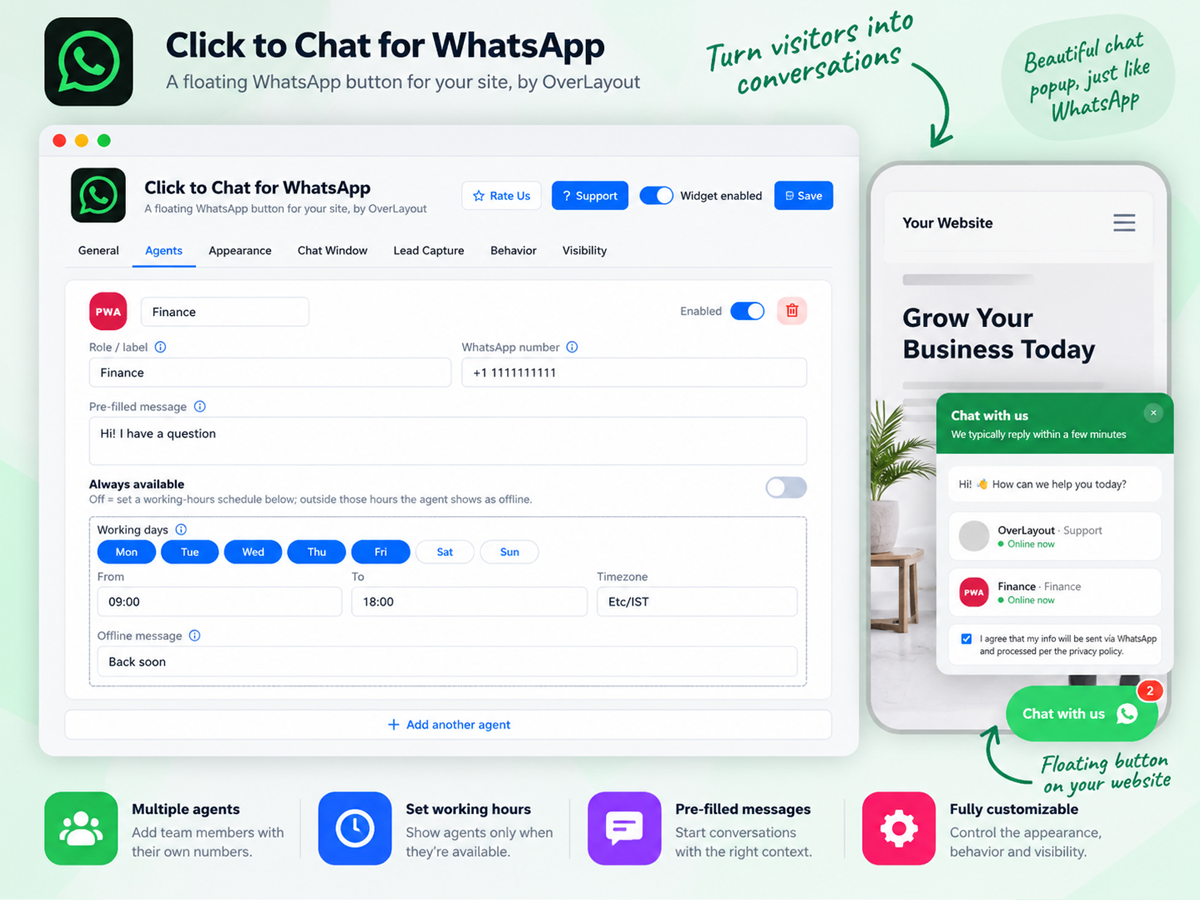

WhatsApp Chat Button Contact overzicht
- A branded WhatsApp chat experience: Not a bare link open a customizable popup before WhatsApp chat with your own header, welcome message, brand colors, and an optional consent checkbox - so the first impression looks like part of your site, not a generic redirect
- Smart agent routing: Add multiple agents or departments for WhatsApp chat button - Sales, Support, Billing - each with their own number and working hours. Visitors are automatically routed to the right person, with live availability, "back in X hours" messaging, and the option to hide offline agents entirely
- Triggers that catch visitors: Before they leave Delay the button's appearance, auto-open the popup after a set time on page or number of pageviews, and add a notification badge to draw the eye - so the WhatsApp chat button shows up at the moment a visitor is most likely to engage
- Works the same everywhere: Mobile visitors open the WhatsApp app directly with one tap for chat. Desktop visitors get WhatsApp Web or a scannable QR code based on your choice. Show the WhatsApp button on all devices, mobile only, or desktop only - your choice
Beoordeling
Deze app heeft nog geen beoordelingen ontvangen, wees de eerste om hem te beoordelen.Prijzen en abonnementen
Basic-abonnement
Gratis
WhatsApp Chat button show on all pages
One-click WhatsApp chat button
Pre-filled messages with page links
WhatsApp Web or QR code on desktop
Premium-abonnement
- 20%
$
3
99
/maand
$499
Eye-catching styles that get to chats
Pre-chat forms to qualify every lead
Sound alerts that pull eyes to chat
Promo & QR cards that win more sales
* De prijs is in USD.
* Deze uitverkoop is geldig tot 14 november 2026 om 23:59 UTC. De app-developer behoudt zich het recht voor om de uitverkoop op elk moment te beëindigen. De uitverkoopvoorwaarden kunnen worden gewijzigd.