

online winkel
Reserveringen
events
pop-up
Auto Product Ribbons - Selvage
Door
Rules for ribbons, checked first, easy to undo
Nog geen beoordelingen
Gratis pakket beschikbaar

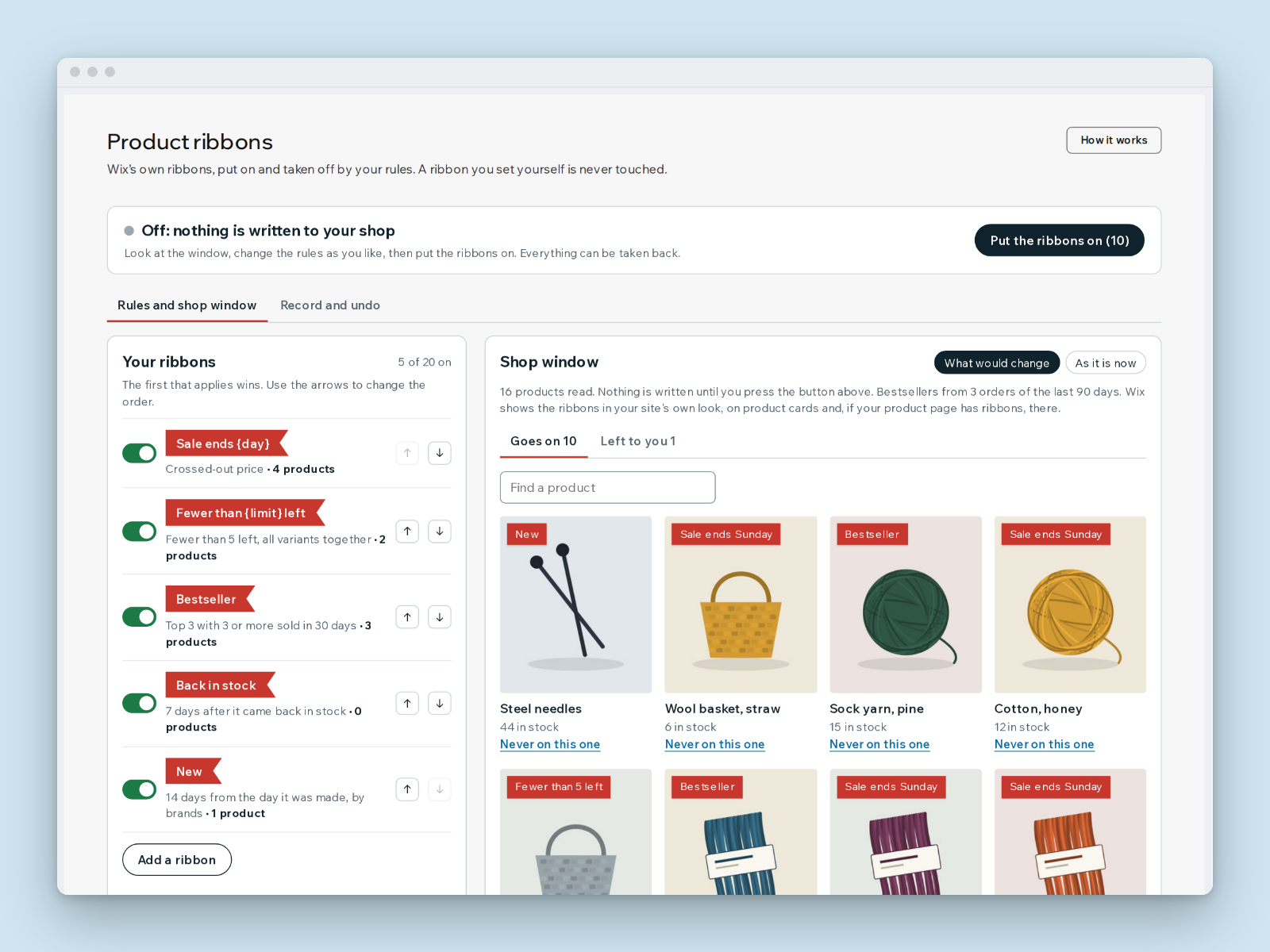
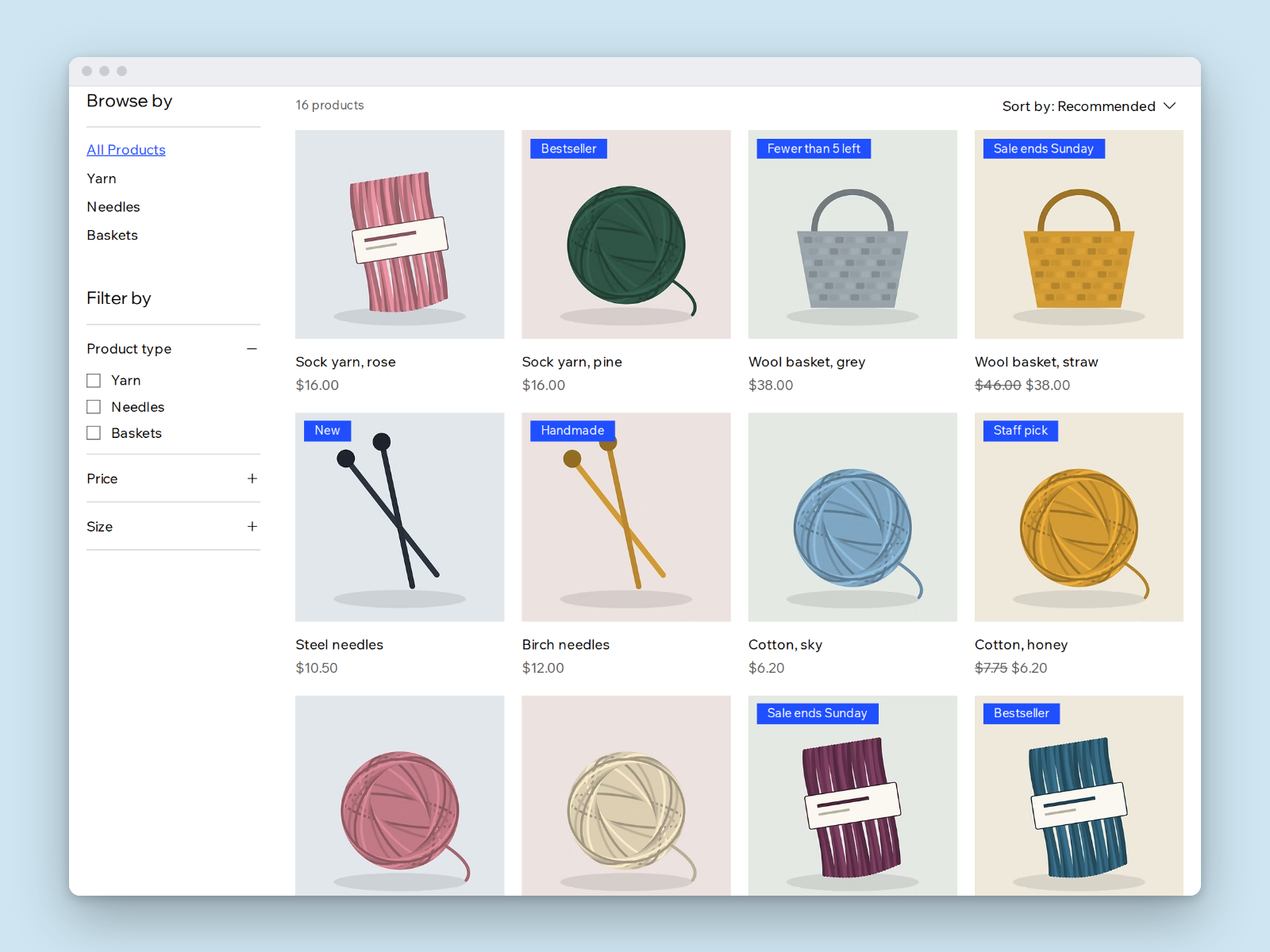
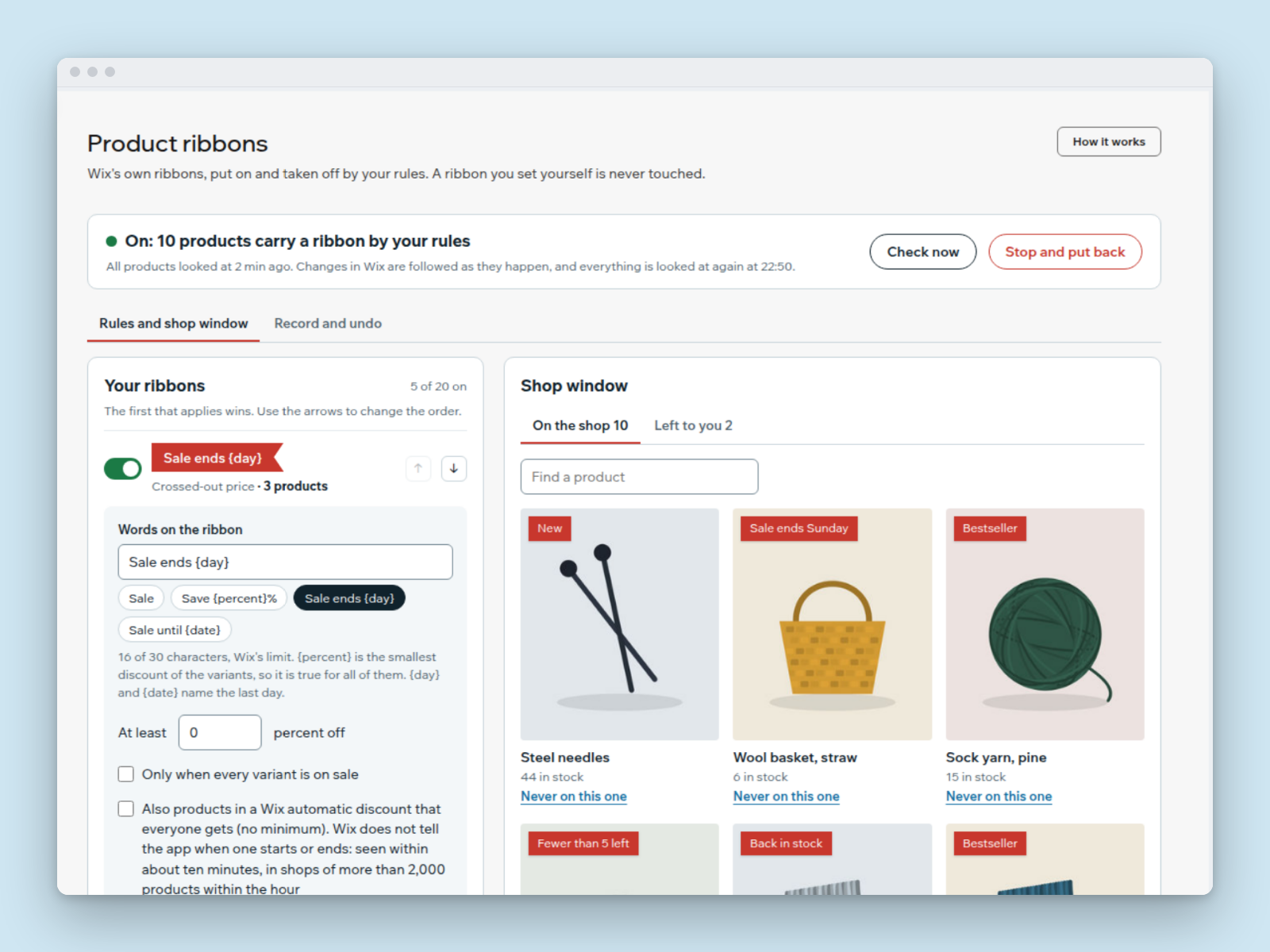
Auto Product Ribbons - Selvage overzicht
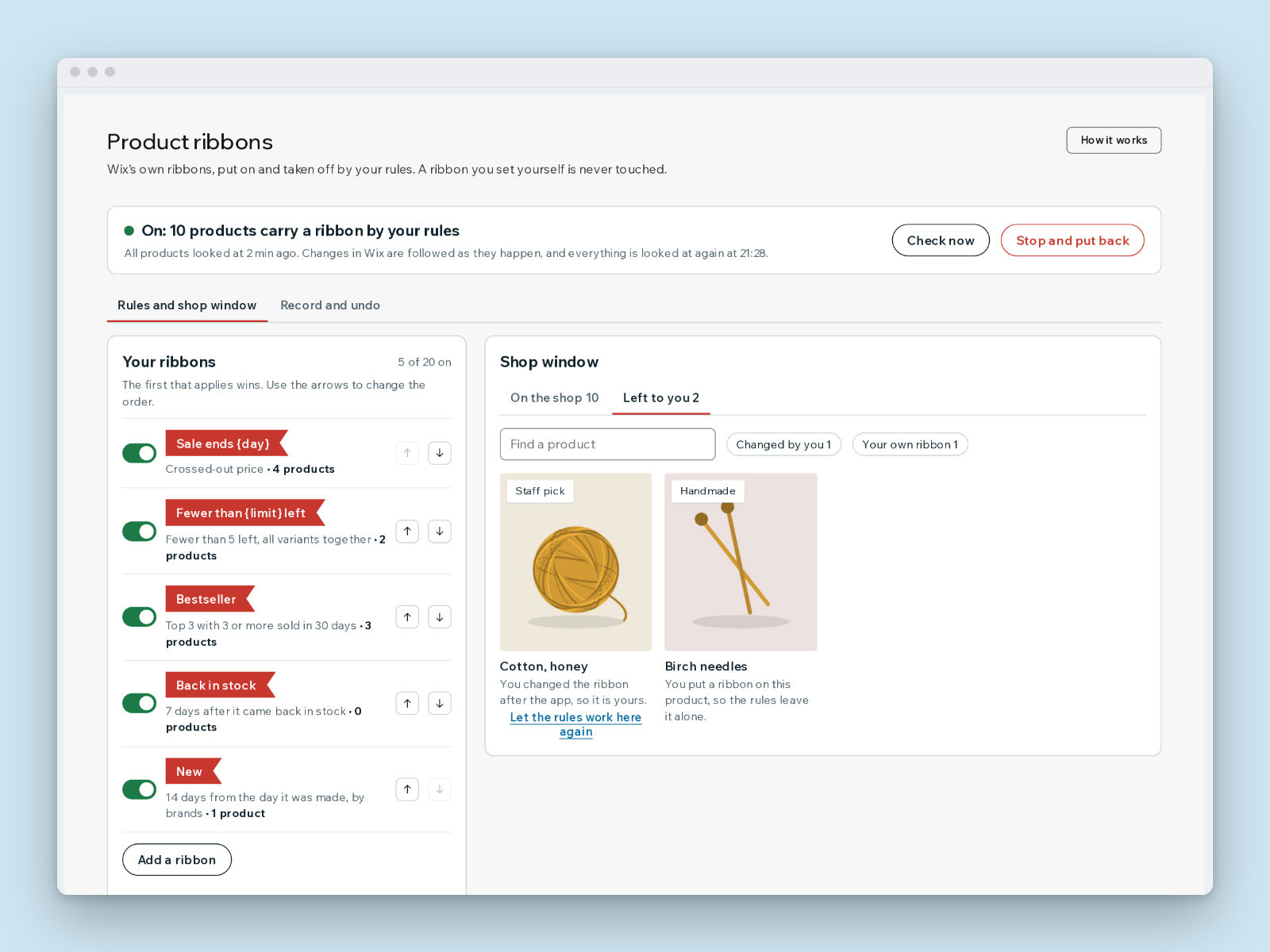
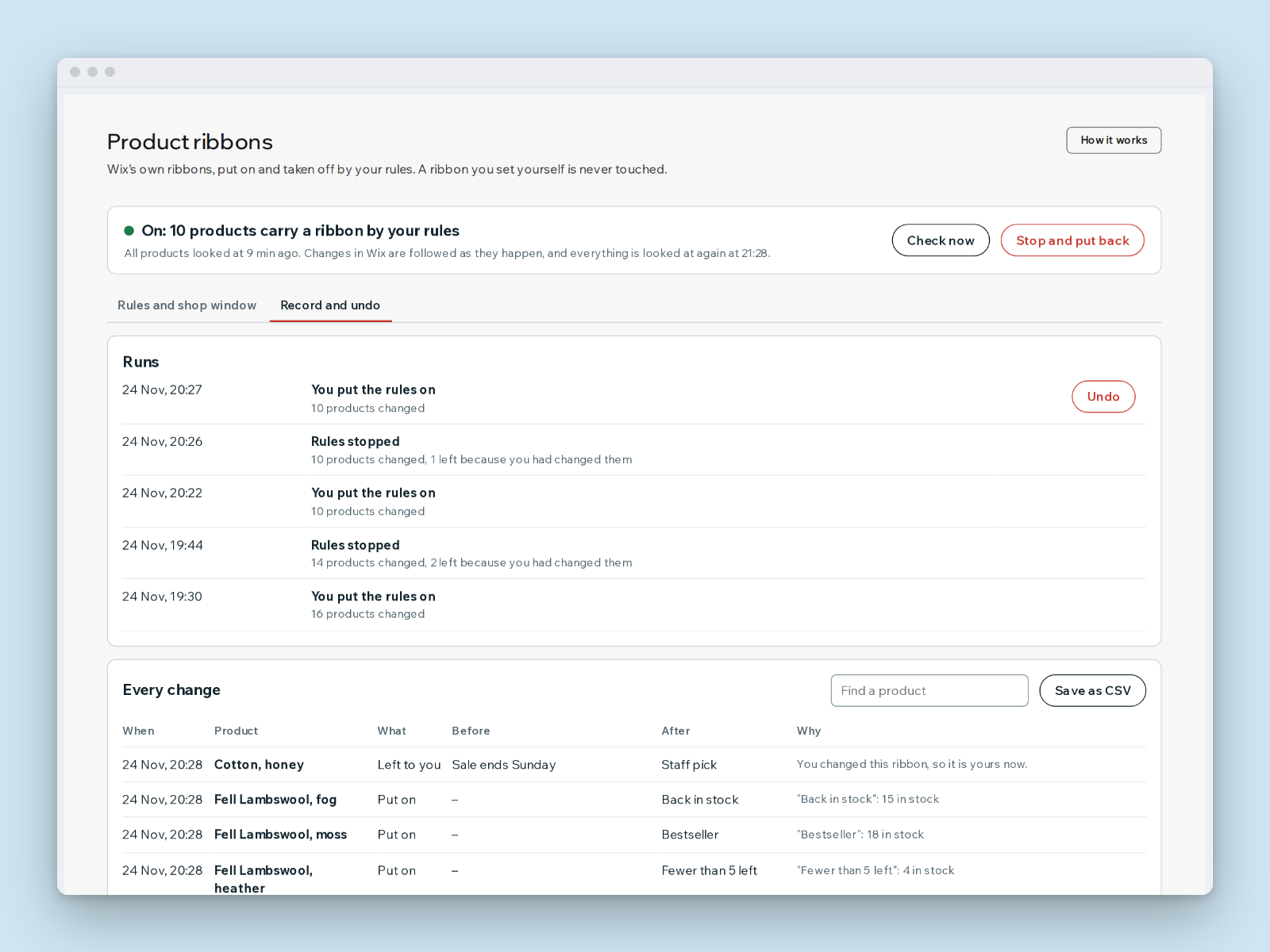
- See every change before it is written
- New, low stock, sale and bestseller rules
- Ribbons you set by hand are never touched
- Undo a run or put everything back
Beoordeling
Deze app heeft nog geen beoordelingen ontvangen, wees de eerste om hem te beoordelen.Prijzen en abonnementen
Free-abonnement
Gratis
3 rules, ribbons on 50 products, preview, undo and 14 days of record
Pro-abonnement
$
3
99
/maand
20 rules, ribbons on 10,000 products
Bestsellers by units sold
Start and end times in your shop's time
3 ribbons per product, 60 days of record
* De prijs is in USD.